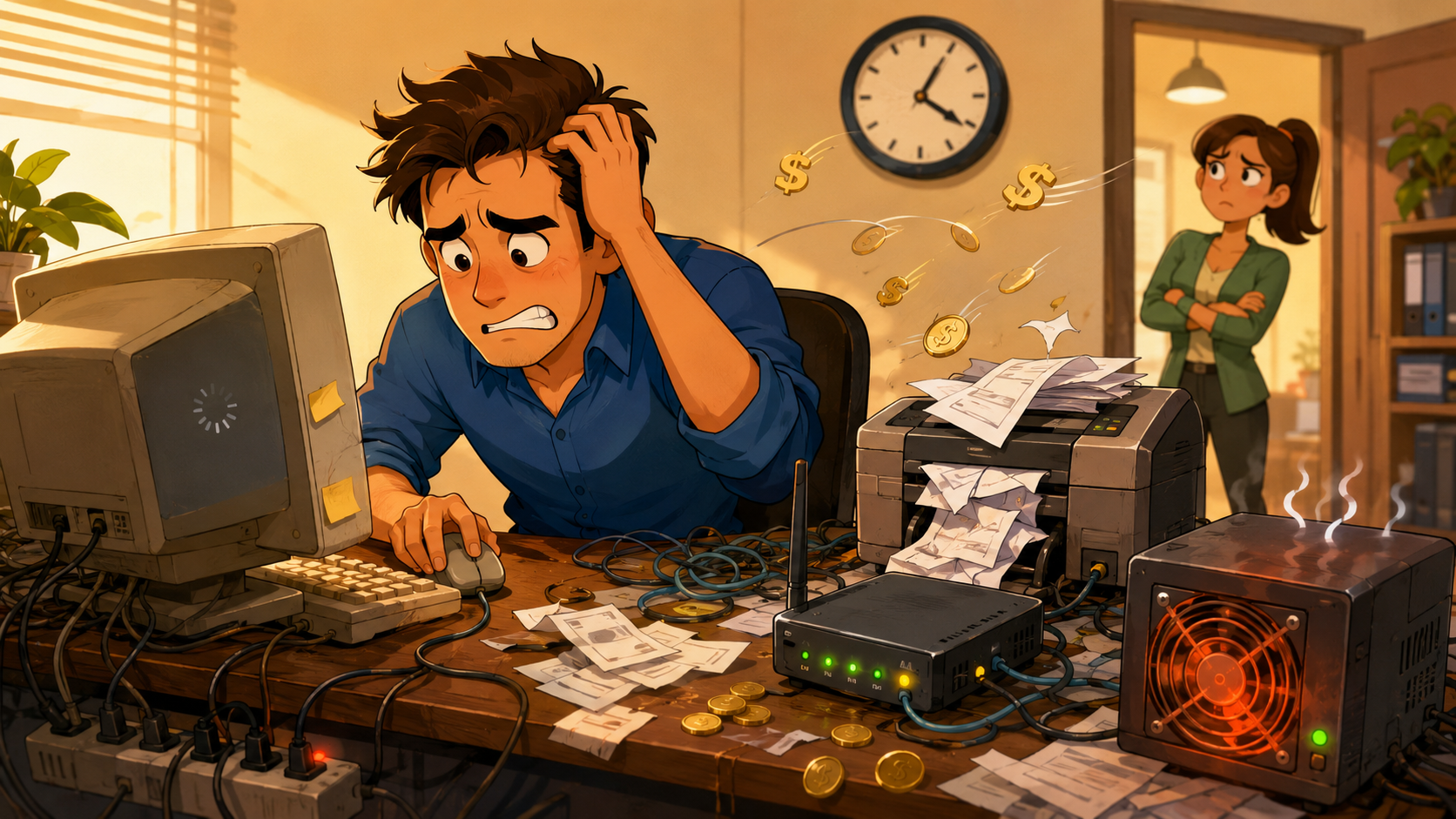
Most small business owners are pretty good at stretching a dollar.
You hold onto equipment as long as you can. You repair what is fixable. You avoid replacing things before you truly need to.
That is usually smart business.
But when it comes to outdated technology, “still working” does not always mean “still worth keeping.”
An old computer that takes forever to start. A server that sounds like it is working overtime. A system that freezes every time someone tries to open a large file. A printer, router, or workstation that everyone knows has “a personality.”
At first, these things seem like small annoyances.
But over time, outdated tech starts charging your business a hidden monthly fee. Not as a line item on your invoice, but through lost time, higher costs, frustrated employees, interruptions, and unnecessary risk.
The draft source makes this point clearly: outdated technology may feel harmless in the moment, but it keeps costing the business every month through higher bills, delays, and routine disruptions.
“If It Still Works, Why Replace It?”
That question makes sense.
For a small business, every expense matters. Replacing technology too early can feel wasteful, especially when the current system still technically functions.
But here is the part many business owners miss:
Old technology does not just sit there quietly.
It works harder.
It runs slower.
It breaks more often.
It takes longer to support.
It can create security gaps.
It steals time from people who already have plenty to do.
So while you may feel like you are saving money by keeping outdated systems around, you may actually be paying for them in other ways.
And those costs add up.
1. Higher Bills From Inefficient Equipment
Older equipment often uses more power than newer systems.
It may run hotter, work harder, and require more energy just to keep up with normal daily tasks. During the summer, that can become even more noticeable because older devices can add extra heat to the office and put more strain on cooling systems.
One outdated device may not seem like much.
But several aging computers, servers, monitors, or networking devices running every day can quietly increase operating costs.
Newer equipment is often designed to do more work with less energy. That means your business may benefit from better performance and lower ongoing costs at the same time.
That is not just a tech upgrade.
That is a business efficiency improvement.
2. Lost Time That Nobody Tracks
Slow technology creates one of the most expensive problems in a small business: wasted time that does not show up neatly on a report.
A file takes too long to open.
A program freezes.
A staff member restarts their computer again.
A customer waits while your team tries to pull up the right information.
Someone says, “Give me one second,” when it is really the fourth delay of the morning.
Each moment may feel minor.
But multiply those delays across your team, across every workday, and across the year.
That “little” technology problem may be costing hours of productivity every month.
And when your employees are already busy, those delays do more than slow the work. They create stress, break focus, and make ordinary tasks feel harder than they need to be.
3. Constant Interruptions Become Part Of The Routine
One of the clearest signs of outdated technology is that workarounds become normal.
People know which computer freezes.
They know which system needs to be restarted twice.
They know which application crashes if too many tabs are open.
They know which printer only works when someone “messes with it.”
At some point, your team stops reporting the problem because they assume nothing will change.
That is when outdated tech becomes especially costly.
Not because everything is broken all the time, but because small interruptions become part of how the business operates.
And every interruption has a cost.
It pulls attention away from customers. It slows down service. It frustrates employees. It makes the business feel less professional than it really is.
Your team should not have to build their day around technology that barely keeps up.
4. Bigger Security Risks
Outdated technology can also create cybersecurity problems.
Older systems may no longer receive regular updates. Software may become unsupported. Devices may have known weaknesses that are easier for attackers to exploit.
For a small business, that matters.
You may store customer records, payment information, employee data, contracts, financial documents, or private emails. Even if you are not a large company, your data still has value.
Cybercriminals know many small businesses are busy, budget-conscious, and less likely to have a full internal IT team. That makes weak or outdated technology an easier target.
Keeping old systems too long can leave your business exposed in ways you may not notice until something goes wrong.
5. The Hidden Cost Of “Good Enough”
Outdated technology often survives because it is good enough.
Good enough to open email.
Good enough to process orders.
Good enough to print invoices.
Good enough to get through another week.
But “good enough” can quietly become expensive.
It can mean your team spends more time waiting than working. It can mean your systems are harder to secure. It can mean you are paying higher operating costs while also accepting more interruptions.
And perhaps most importantly, it can mean your business is making decisions based on frustration instead of strategy.
That is not where you want to be.
What It Looks Like When You Stop Paying For Problems
When outdated systems are addressed, the difference is often felt quickly.
Computers start when they are supposed to. Programs load without the usual delay. Employees stop building workarounds into their day. Customers get faster answers. Your team spends less time fighting technology and more time doing the work that actually moves the business forward.
You may also reduce energy waste, lower support issues, and improve security by replacing systems that are no longer worth maintaining.
That does not mean every old device needs to be replaced tomorrow.
A smart IT plan is not about throwing money at shiny new equipment.
It is about knowing what is costing you more than it is worth, what can safely wait, and what needs attention now.
Is It Time For A Change?
Your business may be ready for a technology review if:
- Your team complains about slow systems regularly
- Certain devices need frequent restarts
- Software updates are no longer installing properly
- Employees rely on daily workarounds
- You are not sure whether your systems are still secure
- Support costs keep rising for the same old problems
- You feel like technology is slowing the business down
The issue does not fix itself.
Old systems usually do not become cheaper, faster, or safer with time. They keep costing you through lost productivity, higher bills, and interruptions that never fully go away.
How The Right IT Partner Helps
As your IT partner, we do not just fix the issue of the day.
We help you stop overpaying for technology that is no longer pulling its weight.
That means we help identify which systems are costing more than they are worth, decide what should be replaced now versus later, recommend right-sized upgrades, handle the transition, and maintain everything going forward so you do not end up in the same position again.
The goal is not to sell you equipment you do not need.
The goal is to give your small business a clear, practical plan so your technology supports your work instead of slowing it down.
Stop Paying For Tech That Holds You Back
If your systems are slow, unreliable, outdated, or constantly needing attention, you are already paying for the problem.
The real question is how much longer you want to keep doing that.
Let’s take a look at what is costing you time, money, and peace of mind — and figure out what is actually worth fixing or replacing now.

.png)