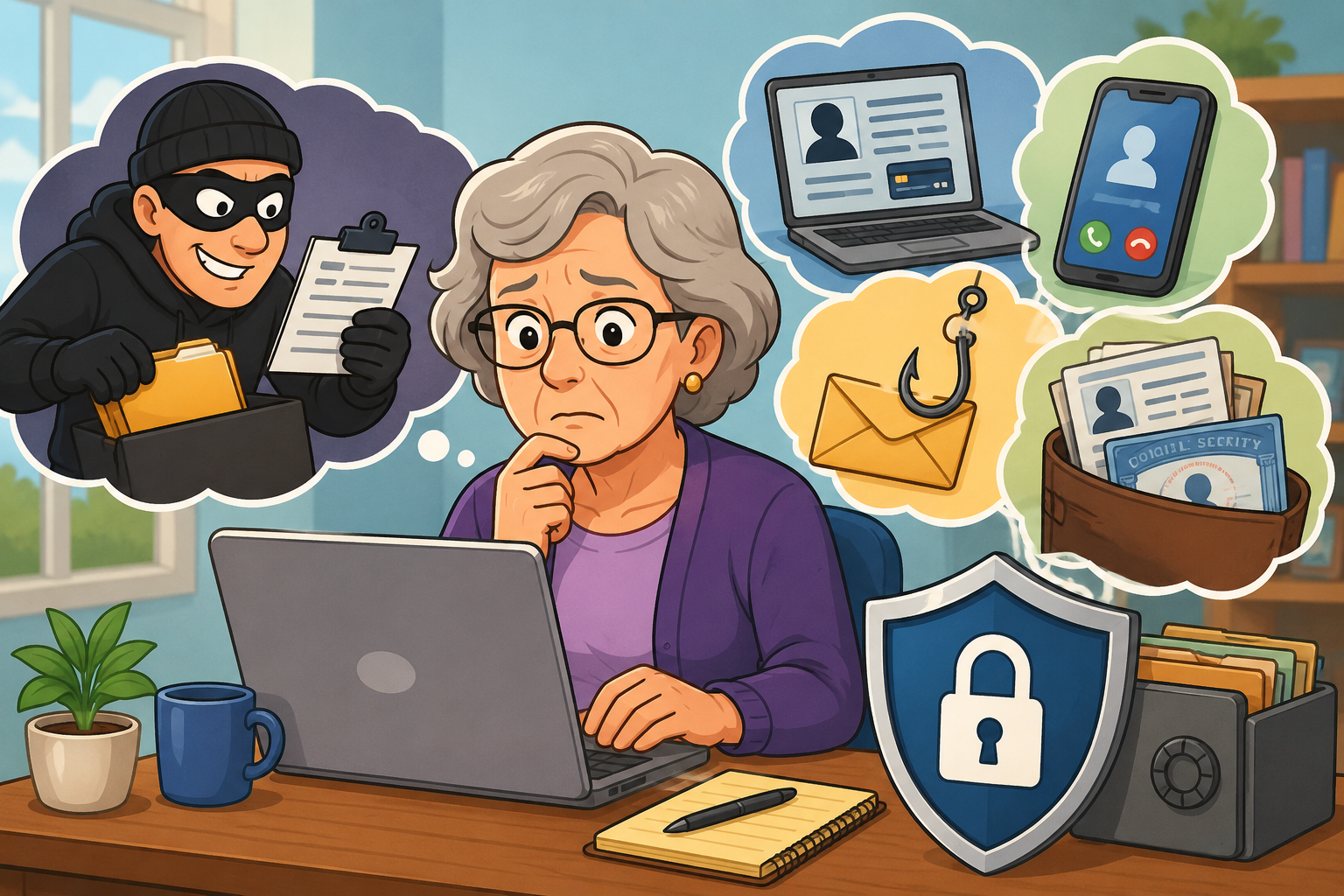
Identity theft can be frightening and costly. It happens when a criminal uses your personal information for their own benefit. This may include your Social Security number, home address, birth date, bank account number, credit card number, or health insurance information.
Once a criminal has this information, they may try to open accounts in your name, take out loans, file a tax return to steal your refund, get medical care, or make purchases you did not approve.
Identity theft can cause more than money problems. Victims may spend months or even years trying to fix the damage. Many people also feel stress, embarrassment, anger, or fear after it happens. Please remember: if you are a victim, it is not your fault. Scammers are skilled at tricking people.
A Real-Life Example of Identity Theft
In one extreme case, a man named Matthew David Keirans stole another man’s identity so completely that the real victim, William Woods, was accused of being the impostor.
Keirans used Woods’ identity to get loans and build up debt. When Woods tried to report the problem, Keirans sent fake documents that made authorities believe he was the real William Woods. Woods was arrested and later sent to a psychiatric hospital when he insisted he was telling the truth.
Years later, DNA testing proved Woods was the real victim. Keirans pleaded guilty and was sentenced to prison in 2025.
Most identity theft cases are not this extreme, but the story shows how serious the problem can become.
How Criminals Steal Personal Information
Criminals can steal personal information in many ways. Some methods are simple. Others use technology.
Mail theft
A thief may steal bills, bank statements, medical papers, or credit card offers from your mailbox. These papers may contain information they can use.
Fake forms or petitions
A scammer may ask you to fill out a form or sign a petition. They may request information they do not really need, such as your Social Security number.
Data breaches
A data breach happens when hackers break into a company’s computer system and steal customer information. This can happen to banks, stores, medical offices, insurance companies, and other businesses.
Phishing emails and texts
Phishing means a scammer sends a fake message that looks real. The message may look like it came from your bank, the government, a delivery company, a job recruiter, or a well-known business.
The message may ask you to click a link, open an attachment, or “verify” your account. If you click, you may be taken to a fake website that steals your information.
Impostor scams
In an impostor scam, someone pretends to be a person or organization you trust. They may claim to be from your bank, Medicare, Social Security, the IRS, tech support, or even a family member in trouble.
Their goal is to scare, rush, or pressure you into giving them information or money.
Artificial Intelligence Is Making Scams Harder to Spot
Artificial intelligence, often called AI, is computer technology that can create text, images, voices, and other content that may look or sound real.
In the past, many scam messages had spelling mistakes, odd wording, or strange-looking logos. Today, scammers can use AI to make fake emails, texts, websites, documents, and even voices look and sound more believable.
This means it is no longer safe to rely only on spelling errors or bad grammar to spot a scam.
A safer rule is this: do not click links or give personal information because of a message, call, or email you did not expect. Contact the company directly using a phone number or website you already know is real.
What Is Synthetic Identity Theft?
Synthetic identity theft is a type of fraud where criminals create a fake person using a mix of real and fake information.
For example, a criminal might use a real Social Security number, but combine it with a fake name, fake birth date, and fake address. The criminal is not exactly pretending to be you. Instead, they are building a new false identity using pieces of your information.
AI is not required for this type of fraud, but it can make the process easier for criminals.
Warning Signs of Identity Theft
Watch for these red flags:
You see bank withdrawals, credit card charges, or bills you do not recognize.
You stop receiving a bill or statement that normally arrives. This could mean someone changed your mailing address.
You find accounts on your credit report that you did not open.
Debt collectors contact you about debts that are not yours.
The IRS says a tax return has already been filed in your name.
The IRS says you earned income from an employer you do not know.
You are told that a company you use had a data breach.
Your health insurance denies a claim because it says you reached your benefit limit, even though you know that is not true.
Your medical records show a condition, treatment, or service you never had.
How to Help Protect Yourself
You cannot control every risk, but you can make it much harder for criminals to use your information.
1. Reduce Your Paper Trail
Check your accounts regularly
Set up online access to your bank and credit card accounts. Review your activity often. Look for charges, withdrawals, or changes you do not recognize.
If something looks wrong, contact your bank or credit card company right away.
Use paperless statements when possible
Paperless billing means your statements arrive online instead of in your mailbox. This can reduce the chance that a thief steals personal information from your mail.
Shred sensitive papers
Do not simply throw away papers that show personal or financial information. Shred bank statements, tax forms, medical bills, insurance papers, and credit card offers before putting them in the trash.
Keep your Social Security card safe
Do not carry your Social Security card in your wallet unless you truly need it that day. Keep it in a safe place at home.
Do not leave personal papers in your car
Even a locked car can be broken into. Do not leave bills, medical papers, checkbooks, tax forms, or other personal information inside your vehicle.
2. Strengthen Your Account Security
Use different passwords for different accounts
A password is like a key. If you use the same key for every account, one stolen password can open many doors.
Use a different password for each important account, especially your email, bank, credit card, health insurance, and shopping accounts.
A password manager can help. This is a secure program that stores your passwords so you do not have to remember all of them.
Turn on multifactor authentication
Multifactor authentication is an extra security step when you sign in. You may also hear it called two-step verification.
It means your account asks for more than just your password. For example, it may ask for a code, fingerprint, face scan, or approval from an app.
For important accounts, ask your bank or credit union what security options they offer. Some may allow you to use an authenticator app, such as Google Authenticator or Microsoft Authenticator.
Keep security software updated
Use security software on your computer, tablet, and phone when possible. Updates are important because they help fix security weaknesses.
Freeze your credit
A credit freeze blocks most new credit accounts from being opened in your name. This can help stop criminals from opening credit cards or loans using your information.
You can unfreeze your credit temporarily when you need to apply for a loan, credit card, apartment, or mortgage.
You can also place a fraud alert on your credit report. A fraud alert tells lenders to take extra steps to confirm your identity before opening credit.
Avoid public Wi-Fi for private business
Public Wi-Fi is the internet connection available in places like coffee shops, airports, hotels, and libraries. Some public Wi-Fi networks are not secure.
Avoid using public Wi-Fi for banking, shopping, medical accounts, or anything involving private information.
Lock your devices
Use a passcode, PIN, fingerprint, or face scan to lock your phone, tablet, and computer. If your device is lost or stolen, this makes it harder for someone to get into your information.
File your tax return early
Some criminals try to file a tax return in someone else’s name to steal the refund. Filing early may reduce the chance that a thief files before you do.
3. Turn On Account Alerts
Account alerts are notices from your bank, credit card company, or other service. They can warn you when something changes.
Turn on alerts for:
Password changes
Address changes
Phone number changes
Large purchases or withdrawals
New authorized users
Unusual activity
Debit card or credit card use
Push notifications can be helpful. A push notification is a message that pops up from an app on your phone. If your bank app sends the notice, it is easier to tell where it came from.
But be careful: scammers can send fake alerts by text or email. Do not click links in unexpected messages. Open your bank app or type the bank’s website address yourself.
4. Be Careful With Links, Calls, and Messages
A good rule is: when in doubt, do not click.
Do not click links in unexpected texts or emails.
Do not open attachments you were not expecting.
Do not answer calls from numbers you do not recognize.
Do not give personal information to someone who contacts you first.
Do not let anyone rush you into making a decision.
If a message says there is a problem with your account, contact the company directly. Use the phone number on the back of your card, your statement, or the company’s official website.
5. Protect Your Privacy Online
Do not overshare on social media
Social media posts can give criminals clues about you. Be careful about sharing your full birth date, hometown, address, family names, school history, vacation plans, or pet names.
These details may help scammers guess passwords, answer security questions, or pretend to know you.
Be careful with AI tools
Do not put private personal information into AI programs or chat tools. This includes Social Security numbers, account numbers, passwords, medical details, tax information, or anything you would not want shared.
6. Monitor Your Credit and Personal Information
Check your credit reports
The three main credit reporting companies are Experian, Equifax, and TransUnion. You can check your credit reports for free at AnnualCreditReport.com.
Look for:
Accounts you did not open
Addresses you do not recognize
Phone numbers that are not yours
Loans or credit cards you did not apply for
Wrong employment information
If you see something that does not belong to you, contact the credit reporting company and dispute the information.
What to Do If You Are a Victim
Act quickly, but try not to panic. There are places that can help.
Report identity theft to the FTC
Go to IdentityTheft.gov or call 877-438-4338. The Federal Trade Commission can help you create a recovery plan.
Report online fraud to the FBI
You can report internet-related fraud to the FBI’s Internet Crime Complaint Center at IC3.gov.
Contact the AARP Fraud Watch Network
The AARP Fraud Watch Network has a helpline at 877-908-3360. Trained volunteers can offer support and guidance.
Contact the Identity Theft Resource Center
The Identity Theft Resource Center offers information to help people prevent identity theft and recover if it happens.
A Simple Safety Checklist
Use strong, different passwords for important accounts.
Turn on multifactor authentication.
Check bank and credit card activity often.
Shred papers with personal information.
Do not carry your Social Security card unless necessary.
Do not click links in unexpected texts or emails.
Turn on bank and credit card alerts.
Freeze your credit or place a fraud alert.
Check your credit reports.
Report identity theft quickly if it happens.
Final Reminder
Identity theft can happen to anyone. Scammers are becoming more convincing, especially with new tools like artificial intelligence. But careful habits can make a big difference.
Pause before clicking. Protect your personal information. Check your accounts. And when something feels wrong, contact the company directly using a phone number or website you trust.
Based on a Post by Ken Budd
For more information see: https://www.aarp.org/money/scams-fraud/identity-theft/

.png)